Lawnmower
Mammotion removed multipoint turns. Home Assistant gave them back
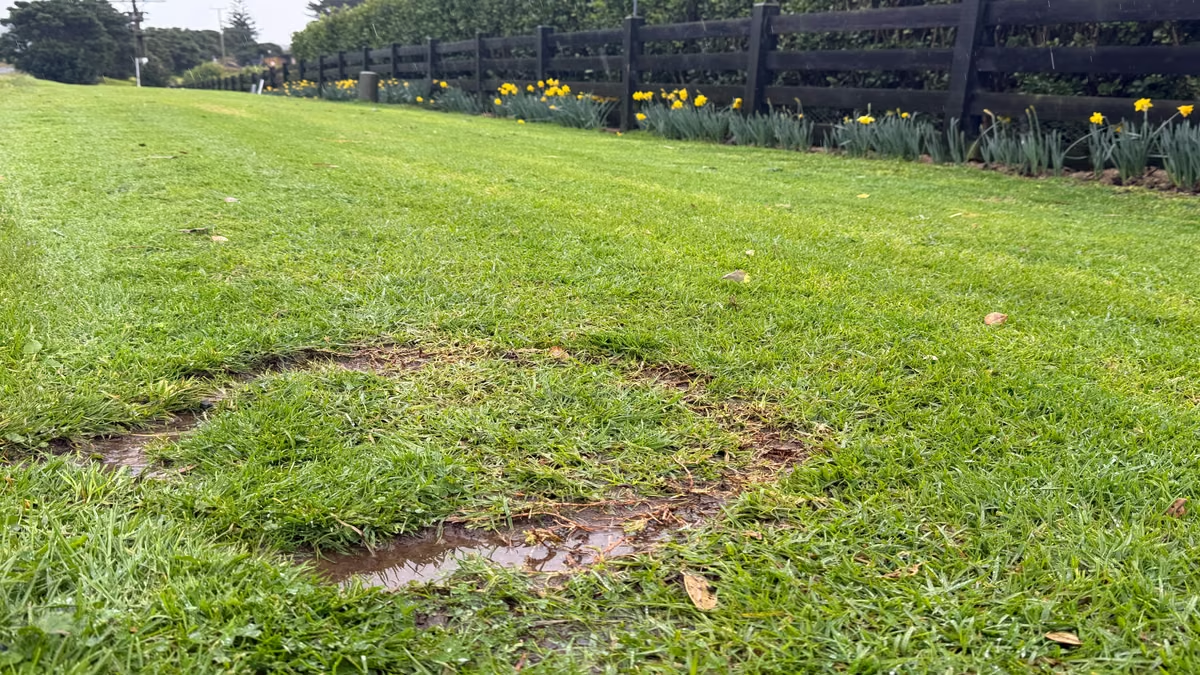
Taken this morning: what a zero turn does to wet Northland turf. This is the "optimisation".
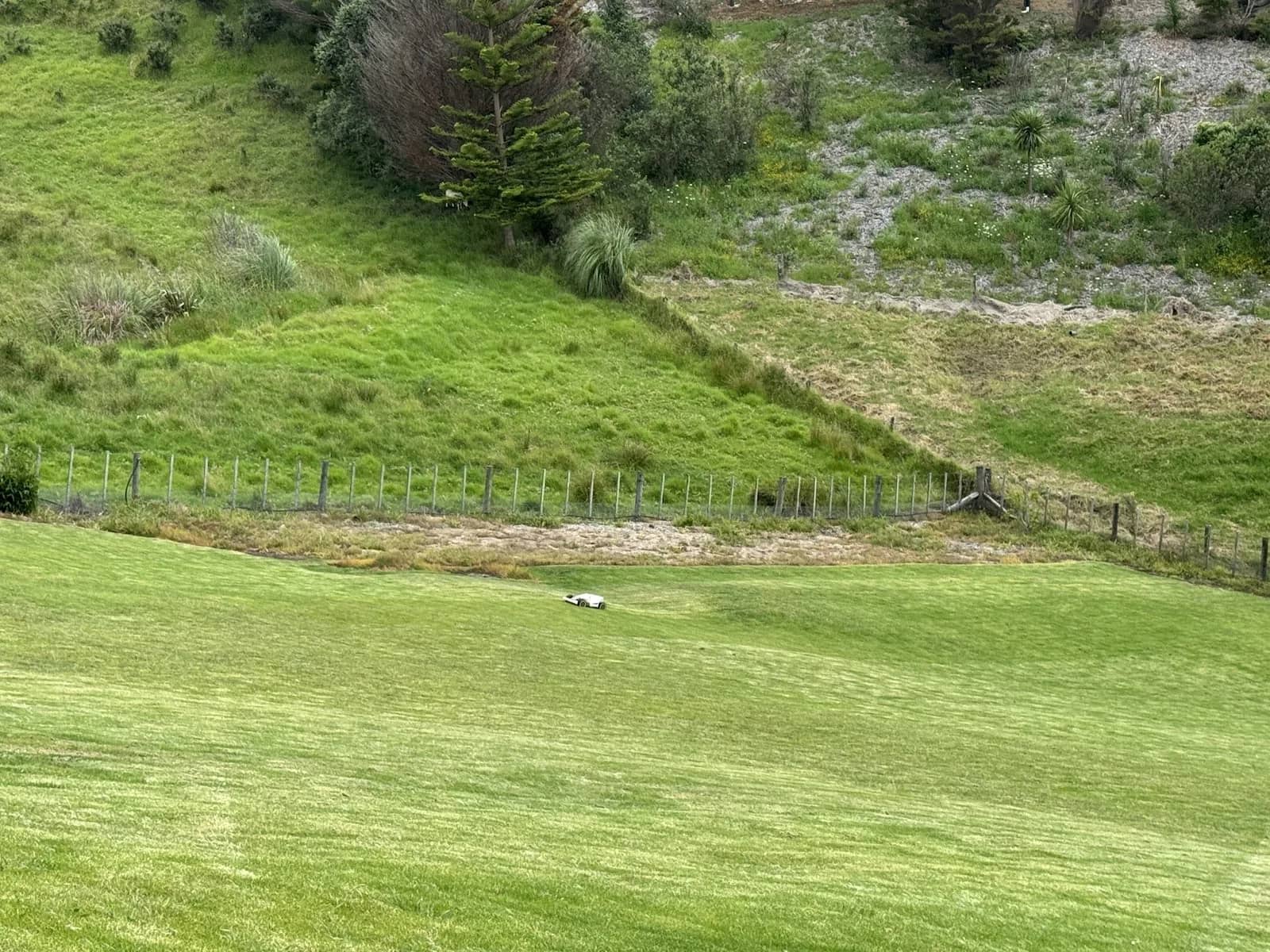
I live on a few acres at Whangārei Heads, and a Mammotion Luba AWD 5000 does the mowing. It is a genuinely impressive machine: RTK positioning down to a couple of centimetres, all-wheel drive, and the ability to handle slopes that would put a ride-on sideways. I have zero complaints about the hardware.
The software company behind it is another story.
The turn that vanished
Robot mowers have two ways of turning at the end of a mowing line. A zero turn, where the mower pivots on the spot like a tank. And a multipoint turn, the classic three-point turn you learned for your driver's licence: forward, reverse, forward, carry on.
On wet or soft grass, the difference is everything. A zero turn on damp Northland turf rips a doughnut into the lawn at the end of every single line. Do that a few hundred times a mow and your beautifully striped paddock has a chewed-up fringe like a bad haircut.
So multipoint turn was the setting everyone with real grass actually used.
Then, in early August, it vanished from the app. The receipts are public. The r/MammotionTechnology subreddit lit up with threads like "Mammotion... Why disable Multipoint Turning?!?!" demanding answers, and an owner who emailed support got the corporate classic back: the feature "has been temporarily disabled" while they are "optimizing our systems". No explanation, no timeline. As one Redditor put it to the company, your silence is very telling.
The timing points to a possible trigger a month earlier in Sweden. A family's robot mower in Haväng reversed over a 15-month-old boy, who thankfully escaped with a bloody knee and shredded shoes. The machine has no rear-facing obstacle sensors and keeps its blades spinning in reverse. The Swedish distributor named in the report is Mammotion's general agent there.
That wee boy being okay is the only thing that actually matters in that story. And let us be fair about the engineering: you cannot patch a rear sensor into hardware that shipped without one. The fleet is what it is. Supervising small children around operating machinery is parenting, full stop, and no firmware release ever changes that.
What Mammotion could genuinely fix in software, it did not touch. Killing the blades while reversing is pure firmware and removes the injury mechanism, since it was spinning blades in reverse that did the damage, not the reversing itself. Or make multipoint turn an explicit opt-in with a warning, so informed adults on empty paddocks keep their lawns while the cautious keep their comfort.
Instead, Mammotion silently deleted the reversing turn for every owner and called it optimisation. My toddler-free paddocks at Whangārei Heads are now sentenced to doughnuts because one household's supervision failed on the other side of the world. Punishing everyone's turf instead of pushing the firmware change that addresses the harm screws up the mowing process while protecting no one.
The loophole: the protocol never forgot
Here is the beautiful part. The mower itself never lost the ability. The turnaround mode still exists in the machine's protocol. Mammotion just stopped showing you the control.
The open-source community kept the receipts. The Mammotion integration for Home Assistant talks to the mower through the same reverse-engineered protocol the app uses. Sitting among its entities is Turnaround mode, with multipoint turn still selectable.
A proper shout-out is owed here. The integration is the work of Michael Arthur, a fellow Kiwi from Te Awamutu, who has spent years reverse-engineering an undocumented protocol so the rest of us can actually own our machines. It has more than 500 stars and 1,300 commits on GitHub, and it keeps getting better. If your Luba does what you tell it, that is largely one bloke in the Waikato. He has GitHub Sponsors enabled. If this integration saves your lawn, shout the man a coffee.
Set it in Home Assistant, launch the mow from Home Assistant, and the Luba does proper three-point turns like a machine with manners.

The dropdown Mammotion deleted, alive and well in Home Assistant.
That single dropdown is why my whole mowing operation now runs from Home Assistant instead of the vendor app. But once you start, you do not stop at one dropdown.
What the dashboard looks like now
Over the course of one Sunday session, my house agent and I rebuilt the Luba dashboard end to end. This is what launching a mow from Home Assistant actually gets you.

The Luba dashboard hero: state, battery, and one-tap controls.
Tasks. My saved mowing plans, Swales on Wednesdays, the Building Site on Thursdays, the Bottom paddock Saturdays, and the Road strip Sundays, live on the mower and now appear as one-tap buttons. Full task management sits underneath: create, edit, enable, disable, and delete, all with day-of-week and time windows. The app is no longer required for any of it.
Mowing zones. Every mapped area on the property is a switch. Tick the zones you want, hit mow, and it does exactly those areas with the settings I chose, not the settings a product manager chose for me.
The full settings rack. Blade height, path spacing, working speed, crossing angle, cutting path mode and angle, mow order, obstacle avoidance mode, traversal mode, perimeter laps, no-go-zone laps, wildlife safety mode, and yes, turnaround mode. Everything the protocol supports, on one screen.

Every mowing zone as a labelled polygon on satellite imagery, calibrated to the fence lines.
A real map. The stock map card showed a dot at my address. Now a satellite imagery layer renders every mowing zone as a labelled polygon exactly where it sits on the property, with the mower moving through them as a proper little mower icon. We calibrated the RTK-to-imagery offset by nudging it in metre steps until the western boundary sat exactly on the fence line. Three metres east, seven and a half south, dialled.

Live view, one-tap recording presets, and the last-seen photo from the mower itself.
Camera, recording, and receipts. The Luba has an onboard camera that the app treats as a toy. A community-built bridge now republishes that feed as a local RTSP stream, running as a Home Assistant add-on on the same box. From the dashboard I get tap-to-play live view, one-tap recording presets of 5, 15, 30, and 60 seconds saved straight into the media library and downloadable to my phone's Photos, and a last-seen photo that refreshes every fifteen minutes while the mower is out working. When it does something weird at the far end of the paddock, I have footage.
Manual control. Undock, cancel task, relocate the charging dock, and emergency nudge controls in four directions for when it beaches itself somewhere creative.
The boring-but-vital stuff. Battery, charging state, RTK satellite counts for both the mower and the base station, positioning mode, connection paths, signal strength on Wi-Fi, Bluetooth, and 4G, firmware update entities for both devices, last error codes with timestamps, and lifetime stats down to blade wear hours.
None of this required soldering, rooting, or voiding anything. It is the machine I already paid for, finally showing me its whole self.
The bigger point
I am not actually here to relitigate one company's safety-panic product decision, satisfying as that rant was. The point is structural.
When your expensive hardware is driven entirely by a vendor's app, you own the machine but rent the capability, and the rent can go up at any time. A feature you bought can vanish on a Tuesday because of something a stranger did on the other side of the world. The only durable answer is an open layer you control between you and the vendor's cloud. For the home, that layer is Home Assistant plus the open-source community that reverse-engineers what vendors will not document.
My Luba still phones home to Mammotion's cloud. I have not escaped that yet. But every decision about how my lawn gets mowed is now made on my hardware, on my dashboard, under my roof. The three-point turns are back, the lawn edges are healing, and the doughnuts are staying in the bakery where they belong.
Mark Smith is Principal AI Strategist at Cloverbase. To discuss this article or work with me, contact me at Cloverbase.